Works with your Schwab account

Trade options on Thinkorswim from the chart.

Connect your Schwab account. Draw your entry, stop and targets on the chart and one tap sends the order to Schwab. Or copy a trader you choose, and their trades are placed in your account at your size. Thinkorswim is Schwab's platform, so it's the same account.

7 days free, then $99/mo. Your money stays in your Schwab account.

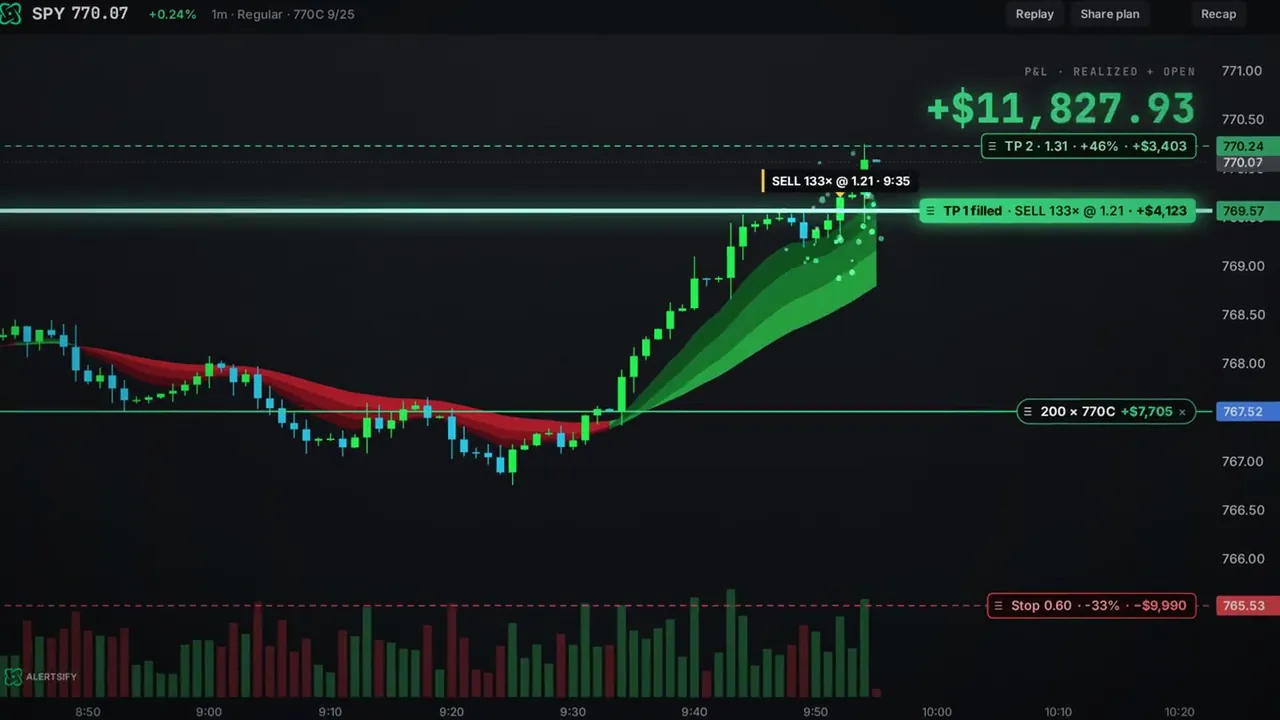
A call option on the SPY chart with its stop and two targets drawn as lines, the first target filled

Illustrative example, not a real trade. Trading from the chart takes Alertsify Trade.

Thinkorswim on Alertsify

What works with thinkorswim.

Options, copy trading and trading from the chart all work with a connected Schwab account.

OptionsCalls and puts in your Schwab account. Schwab has to have approved your account for options.
Copy tradingOn Alertsify Pro. Each copy is sized to you, and when the trader sells, you sell the same share of yours.
Trade from the chartOn Alertsify Trade. Entry, stop and up to 3 targets drawn as lines, sent in one tap.
How you connectSign in on Schwab's own page. Read-only until you turn trading on.
Stocks tooStock orders go in as whole shares.
Connect it as Schwabthinkorswim is Charles Schwab's platform. In Alertsify you connect the Schwab account behind it, listed as Charles Schwab.

Stops and targets you draw on the chart are watched by Alertsify, not held at Schwab: when price crosses one, the exit goes to your account as a market order.

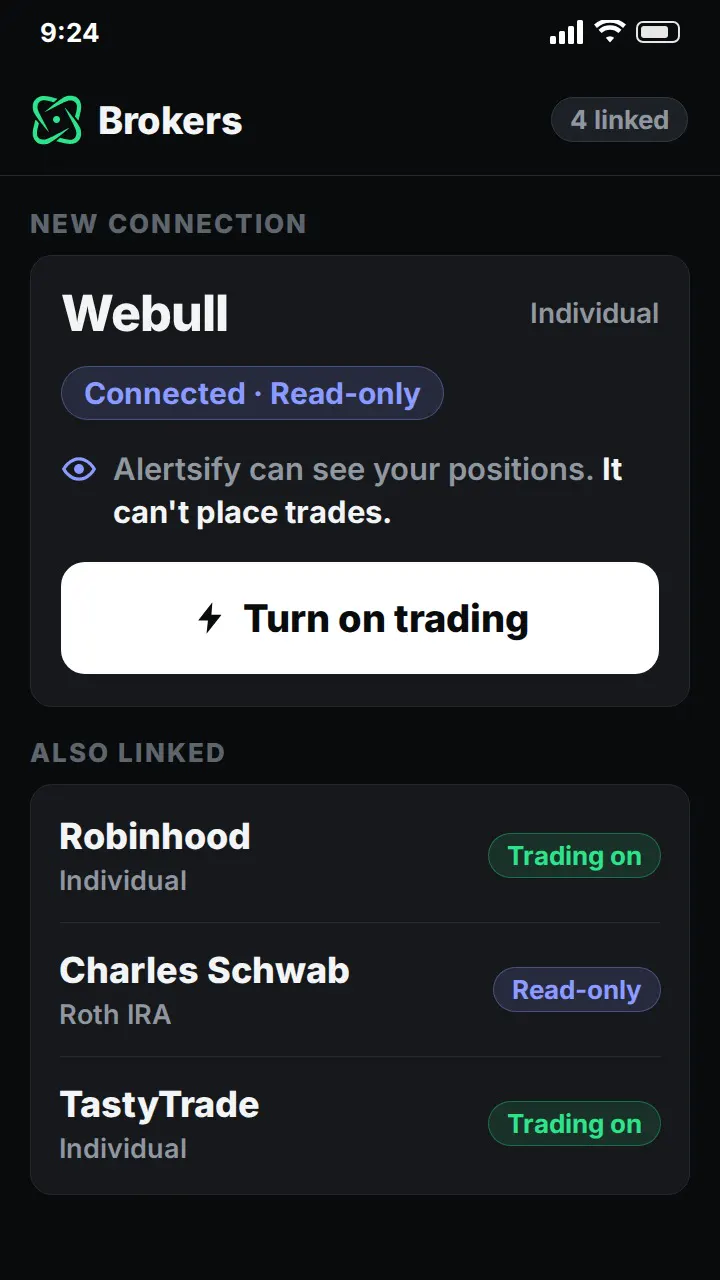
The Brokers screen with a new connection read-only and a Turn on trading button

Illustrative example.

Connect Thinkorswim

Start read-only. Trade when you're ready.

Pick Charles Schwab in Alertsify and sign in on Schwab's own page. At first Alertsify can only read your account.

  • Your login stays with SchwabAlertsify never sees the password
  • Read-only firstYour fills sync and your stats build
  • Trading is your callYou turn it on yourself
  • Revoke anytimeTurn trading off whenever you want
Copy trading on Thinkorswim

Copy a trader into your Schwab account.

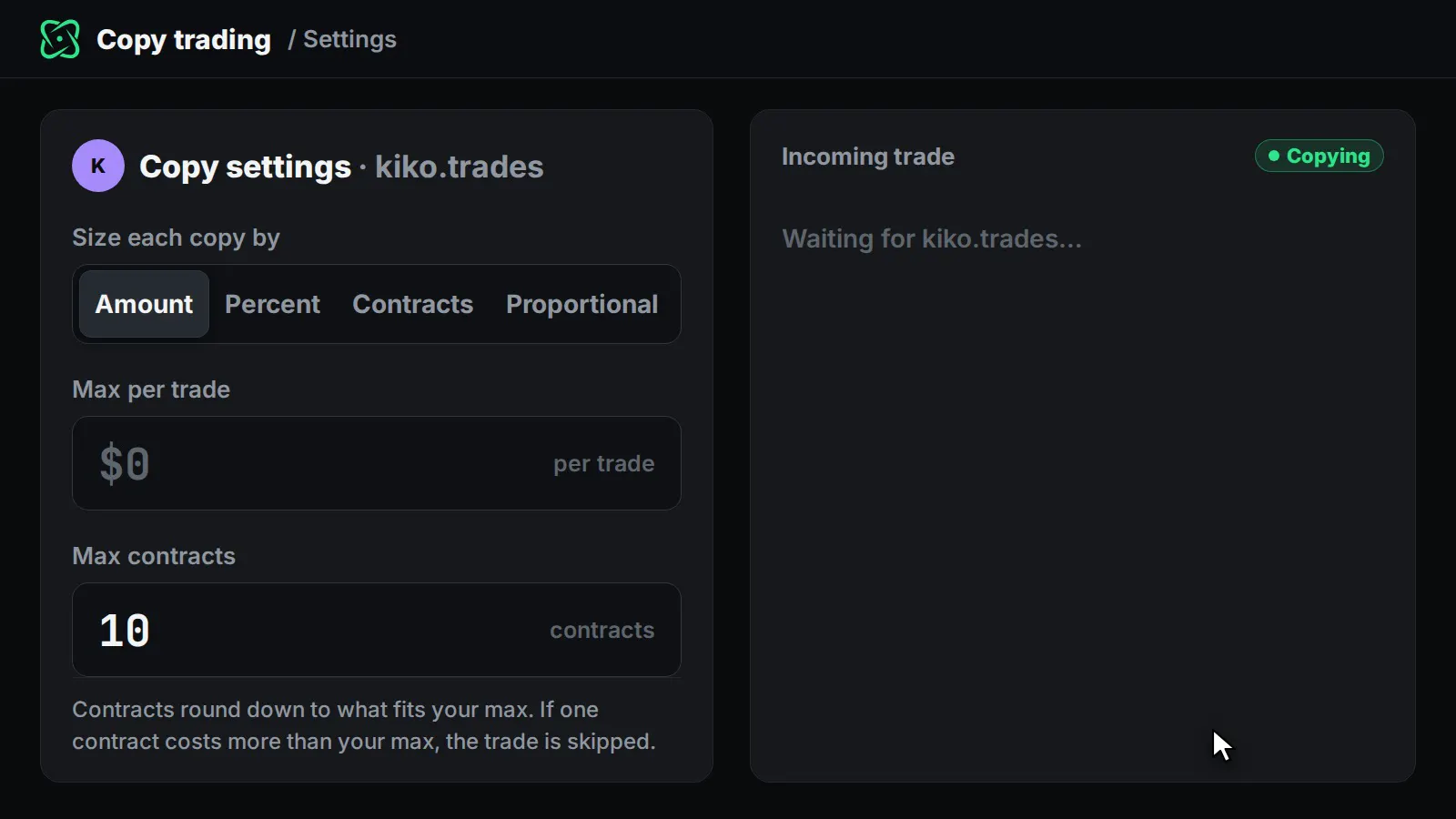
Pick a trader and set your size once. When they trade, the same trade is placed in your Schwab account, sized to you.

  • Your size, not theirsA dollar amount, a share of your account or a set number of contracts
  • Exits followWhen they sell part, you sell the same share of yours
  • Auto or approveHands off, or one tap per trade
  • Your risk rulesDaily loss limit, max per trade and more

Alertsify Pro, $249/mo. Trader subscriptions are sold separately, and Alertsify does not recommend traders.

Copy settings: size each copy by amount, percent or contracts, with a max per trade and max contracts

Illustrative example.

FAQ

Thinkorswim questions.

Can I copy trade options on Thinkorswim?

Yes, with Alertsify Pro. Trades from a trader you choose are placed in your Schwab account, sized by the dollar amount, share of your account or number of contracts you set. Run it hands off, or approve each trade with one tap.

Can I trade options on Thinkorswim from the chart?

Yes, with Alertsify Trade. Draw your entry, stop and targets on the chart and one tap sends the order to your Schwab account.

How do I connect Thinkorswim?

Pick Charles Schwab in Alertsify and sign in on Schwab's own page, so Alertsify never sees your password. The connection starts read-only, and nothing is traded until you turn trading on yourself. You can turn it off anytime.

Does my money leave Schwab?

No. Alertsify places orders in your own Schwab account. It can't move or withdraw money, and your funds stay at Schwab.

Are my chart stops and targets held at Schwab?

No. Alertsify watches the stop and targets you draw and sends the exit to your Schwab account as a market order when price crosses the line. Until then they are not orders at Schwab.

What does it cost?

The charts are free. Sending orders from the chart is Alertsify Trade, $99/mo. Copy trading is Alertsify Pro, $249/mo. Both start with 7 days free. No setup fee and no fee per trade.

Why do I pick Charles Schwab, not thinkorswim?

thinkorswim is Charles Schwab's trading platform, not a separate broker. Your thinkorswim account is a Schwab account, so you connect it by picking Charles Schwab and signing in on Schwab's page.

Is this financial advice?

No. Alertsify is a self-directed software tool, not a registered investment adviser or broker-dealer. Alertsify is not affiliated with or endorsed by Schwab.

Your Schwab account, with a real chart.

Draw it, tap once, sent to Schwab. 7 days free, then $99/mo.

Thinkorswim and Charles Schwab are trademarks of their owners. Alertsify is not affiliated with or endorsed by Schwab. Alertsify is a self-directed software tool and is not a registered investment adviser or broker-dealer. Examples are illustrative, not real trades. All trading involves risk. Trading options involves substantial risk of loss and is not suitable for every investor.

Thinkorswim, from the chart7 days free. Cancel anytime.
See plans