Free for everyone

Stream your trading in 9:16.

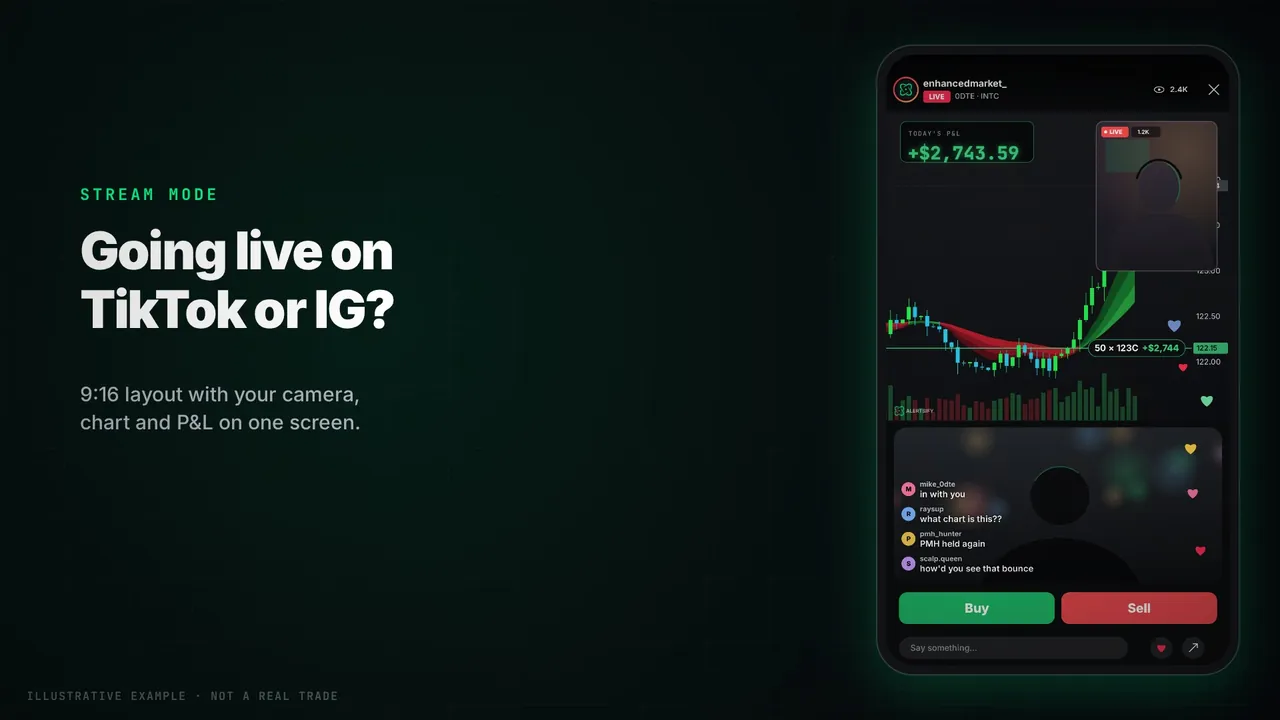
Stream mode puts your camera, the Alertsify chart and your P&L on one vertical screen, ready for TikTok, Instagram or YouTube lives. One window to capture, free.

No card needed. Stream mode is free on desktop. P&L from your broker's fills takes Alertsify Trade, $99/mo.

A phone-shaped 9:16 stream layout with a chart, a live P&L and a chat

The 9:16 stream layout. The Buy and Sell buttons and the P&L from broker fills shown here take Alertsify Trade, $99/mo; the layout itself is free. Illustrative example, not a real trade.

One screen

Camera, chart and P&L together.

No more recording your chart and your P&L separately. Press Stream on the chart and a 9:16 stage opens beside it, or in its own window to capture. Your chart stays as it is; the stage mirrors it.

  • Format9:16, built for vertical lives
  • WhereThe charts page on a computer
  • CostFree, no card needed
Camera on topYour camera above the chart.
Camera bubbleA round camera over the chart.
Chart onlyNo camera, all chart.
Make it yours

Built for how streamers go live.

Set it up once. Your stream settings travel with your account to every computer you go live from.

Your camera, your wayRun the webcam in the browser, or leave the space empty for a camera you add in OBS or TikTok LIVE Studio.
Promo bannerYour name, your code and the offer, in free text.
Choose your P&LToday's realised, open P&L in dollars, percent or both, your wins and losses, and the last trade.
Trade close momentsA big card across the stage when a trade closes.
Line it upShow TikTok's own overlays on the stage while you set up, then turn them off.
Follows your chartPan or zoom the chart and the stream follows.

Streaming from the Simulator? The stage says so: practice money, not real trades. To show P&L from real fills, connect a broker with Alertsify Trade. See Live

FAQ

Stream mode.

Is stream mode free?

Yes. Stream mode is free on the charts page on a computer. No card needed.

Where can I stream with it?

Anywhere you go live in 9:16, like TikTok, Instagram Live and YouTube. Capture the Stream window in your streaming app.

Can I use my own camera setup?

Yes. Run your webcam in the browser, or leave the camera space empty and add your camera in OBS or TikTok LIVE Studio.

Do I need a broker to stream?

No. To show P&L from real fills, connect a broker with Alertsify Trade ($99/mo). From the Simulator, the stage is labelled as practice money.

Can I stream from my phone?

Not yet. Stream mode is on the charts page on a computer.

Go live on the chart.

Free account. No card needed.

Streams are not advice. Simulator streams show practice money, not real trades. Alertsify is a self-directed software tool and is not a registered investment adviser or broker-dealer. All trading involves risk.

Stream mode, freeNo card needed
Open the chart free